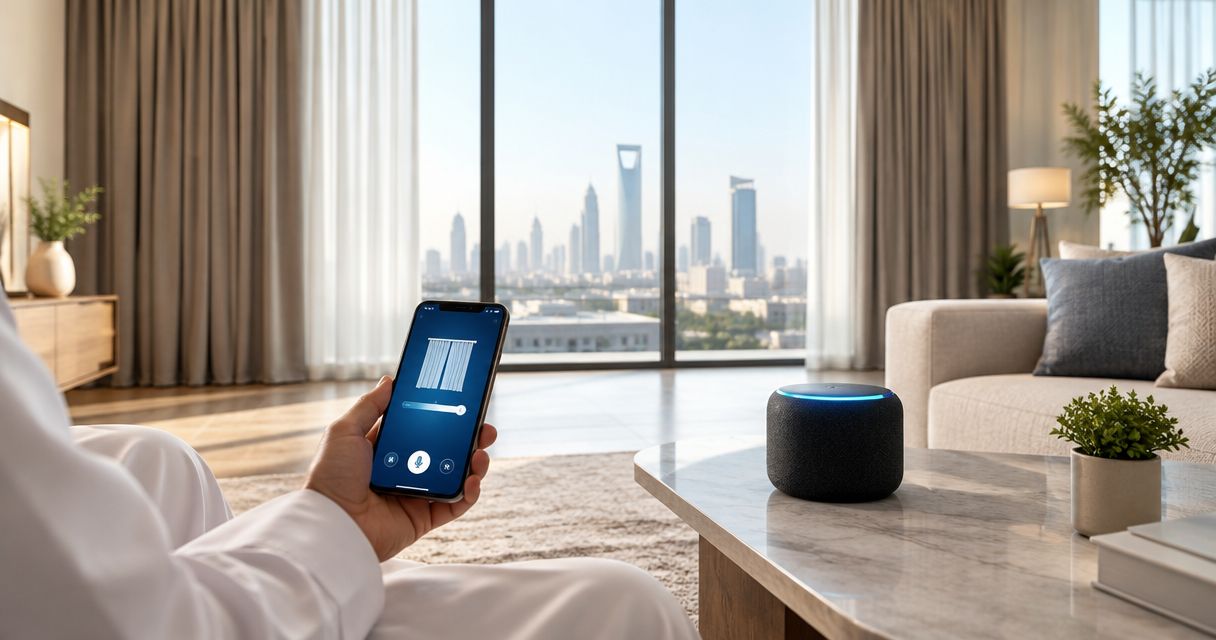
Instead of using a remote every morning, connect motorized curtains to Alexa through the motor manufacturer’s supported integration, then use voice commands or a scheduled routine to move them. Start by proving that the curtains work in their own app; Alexa comes after that, not before.
- To connect motorized curtains to Alexa, confirm the motor’s compatibility and complete manufacturer-app setup first.
- Amazon Alexa voice control depends on the supported integration, not simply on having a motorized curtain track.
- Test opening and closing before creating smart curtain routines; position control requires support from the integration.
- Curtain-store serves Riyadh homeowners seeking custom curtains and installation support; confirm motor compatibility before ordering.
Why this matters
Motorized does not automatically mean Alexa-compatible. A curtain motor operated by a handheld remote still needs a supported connection to Amazon Alexa before voice commands can control it.
Choose the integration before choosing the routine. That prevents you from planning bedroom schedules around a motor that Alexa cannot discover. For a 2026 installation, ask for the exact motor model, its supported Alexa connection method, and any required gateway before confirming your order.
Curtain-store offers ready-made and custom curtains, blinds, fabrics, and installation services in Riyadh. Curtain-store is a fit for homeowners who want custom curtains with installation support; Alexa compatibility must be confirmed for the selected motor separately.
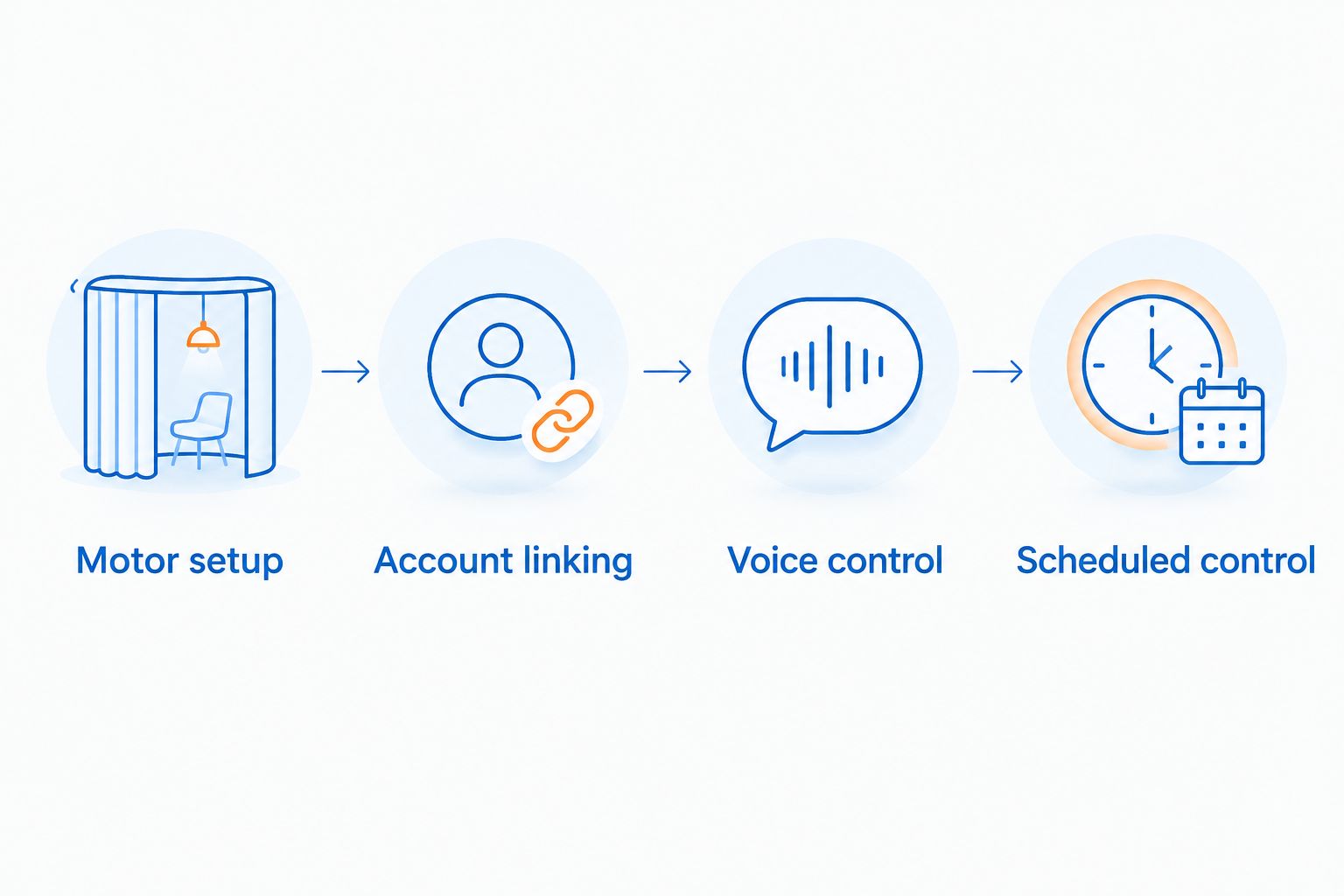
This guide follows the manufacturer-skill route: pair the motor in its own app, link that account to Alexa, discover the device, and test control. Use this route only when the motor manufacturer documents an Alexa skill for your model.
Before you start
- Prepare the equipment and access: an installed motorized curtain system, its manufacturer’s app and account, the Alexa app signed into your Amazon account, and access to the home network. Include the manufacturer’s gateway if the motor requires one.
- Confirm the connection method: identify the exact motor model and the manufacturer’s instructions for Alexa. A remote, Wi-Fi connection, or Bluetooth connection alone does not establish Alexa compatibility.
- Check the regional gotcha: confirm that the required skill is available for your Amazon account’s region and supports your device. Do this before setup; a compatible motor and an unavailable skill leave the account-linking route blocked.
Keep the motor’s instructions nearby. Pairing buttons, indicator lights, travel-limit procedures, and network requirements differ by model, so follow those instructions rather than a generic reset sequence.
For an English-language Alexa app in 2026, the steps below use labels such as More, Skills & Games, and Routines. An Arabic-language app displays translated labels; follow the same functions rather than changing your account region just to match this guide.
Motor setup
Establish reliable control before adding Alexa
- Identify the motor model from its label or installation paperwork. Find the manufacturer’s pairing and Alexa instructions for that model, not merely for the curtain brand.
- Connect the motor and any required gateway according to those instructions. Use the network type specified by the manufacturer; do not assume that every motor connects directly to your router.
- Add the motor in the manufacturer’s app. Complete any required travel-limit calibration so the motor knows its intended open and closed positions.
- Open the curtains fully, then close them fully using the app. Watch the actual fabric rather than relying only on an onscreen status.
- Give the device a short, distinct name, such as Bedroom Curtains. Avoid naming the curtains and a nearby lamp Bedroom, because ambiguous names make voice control harder.
Expected result: the manufacturer’s app moves the curtains in the correct direction and stops them at the intended positions. If that test fails, fix the motor setup before opening Alexa.
Do not use Alexa to compensate for a track that catches or a motor that pulls against an obstruction. Stop the test and have the installation checked. Smart control changes how you send a command; it does not correct a mechanical problem.
A curtain should also clear nearby furniture throughout its movement. Look at the full travel path, including where the fabric gathers when open, before treating the installation as ready for automation.
Account linking
Connect the manufacturer’s account to Amazon Alexa
- Open the Alexa app and select More, then Skills & Games.
- Search for the skill named in your motor manufacturer’s instructions. Check the skill’s publisher rather than choosing a similarly named result.
- Open the supported skill and select Enable to Use. Follow the account-linking prompts using the account that already controls the curtain motor.
- Approve the requested device access after checking that you are linking the intended account. If your household has several accounts, use the one containing the curtains you just tested.
- Complete the device-discovery prompt. If discovery does not start automatically, ask Alexa to discover devices or follow the manufacturer’s discovery instructions.
- Open Devices in the Alexa app and find the curtain device. Check its name against the motor in the manufacturer’s app.
Expected result: Alexa lists the curtain device belonging to the linked account. Finding the skill alone is not enough; the curtain itself must appear as a controllable device.
For your 2026 setup, avoid enabling several similar skills as a trial-and-error shortcut. Use the documented integration and finish its setup first. Multiple integrations for the same motor complicate device names and troubleshooting.
If the manufacturer documents a different connection route, follow that route instead. This skill-linking procedure is not a universal pairing method for every smart curtain motor.
Explore the motorized curtains for smart homes guide when planning the curtain system itself. Confirm compatibility before deciding how many windows to automate.
Voice control
Verify commands before creating schedules
- Use the Alexa app’s available device controls to open and close the curtains. This separates account-linking problems from spoken-command problems.
- Say a direct command using the full device name, such as Alexa, open Bedroom Curtains. Then test the matching close command.
- Confirm that the physical movement matches the command. If opening makes the curtains close, correct the direction using the manufacturer’s documented setting or installation procedure.
- Test intermediate positioning only if the integration exposes it. For example, request 50% and observe the result; percentage commands are not supported by every curtain integration.
- Test stopping only if the manufacturer documents that command. Keep the physical control available rather than assuming Alexa exposes every motor function.
Expected result: the Alexa app and spoken commands produce the same intended movement. Complete 3 checks before scheduling anything: app control, spoken opening, and spoken closing.
An Alexa command is verified when the curtains move correctly, not when Alexa acknowledges the request. Watch the window during testing. A spoken response without movement is a troubleshooting signal, not a successful connection.
Choose the control that fits the moment
| Control method | Best for | Advantage | Limitation |
|---|---|---|---|
| Supplied physical control | Everyday use without speaking | Gives you a direct way to request movement | Available functions depend on the installed system |
| Manufacturer’s app | Pairing and motor setup | Keeps model-specific settings in one place | Requires the supported app and account |
| Amazon Alexa voice control | Hands-free opening and closing | Lets you request movement by device name | Depends on compatibility, account linking, and clear naming |
| Amazon Alexa routine | Repeating an agreed schedule | Removes the need to repeat the same command | A schedule does not know whether you want an exception |
Keep the manufacturer’s app for setup and diagnostics. Use Alexa for the actions that the integration actually exposes, rather than expecting it to replace every installation setting.
Scheduled control
Close the curtains at a chosen time
- Open the Alexa app, select More, then Routines. Use + to create a routine and give it a clear name, such as Bedroom Evening Curtains.
- In the routine’s When section, select Add an event, then Schedule. Choose the time-based option and set your preferred time and days.
- Check that the schedule reflects your local time in Riyadh. Review the routine settings and any relevant Alexa device time-zone settings before relying on the schedule.
- In the Alexa Will section, select Add an action, then Smart Home. Select the curtain device and the close action if the integration makes it available.
- Select Save, then run the routine manually from the routines list. Watch the curtain complete the intended movement.
- Observe the first scheduled run before adding other windows or actions.
Expected result: a manual run closes the intended curtains, and the scheduled run performs the same action at the chosen local time.
Alexa app layouts change. In your 2026 app, identify the event section and action section by their function if their placement differs. Do not select an unrelated action just because it sits where an older screenshot showed curtain controls.
Keep the first routine limited to curtain movement. Add lighting or other supported actions only after the curtain action works, so a failed test has a clear starting point.
Second variant: open the curtains in the morning
Create a separate morning routine using the same curtain device and an opening action. Choose the days and time around how you use the room, not merely around when the household wakes up.
For a bedroom, consider privacy before opening curtains automatically. For an office or customer-facing space, match the routine to the room’s actual use and give the person responsible for the space access to the controls.
Start with 2 routines: one opening routine and one closing routine. Separate routines make it easier to disable morning opening without losing evening privacy.
Do not assume that a scheduled opening is right for every day. Disable or edit the morning routine when your plans change. In a shared Riyadh home, agree on the schedule with the people using the room before enabling it.
For a 2026 handover, record the curtain names and routine names alongside the manufacturer’s instructions. Clear naming helps the next household member understand what each routine controls without changing the installation.
Troubleshooting
Alexa cannot find the curtains
First confirm that the curtains work in the manufacturer’s app. Then check the linked account, required gateway, skill compatibility, and account region. Run discovery again after correcting the underlying issue; repeated discovery cannot find a motor missing from the linked account.
The curtains work in their app but show offline in Alexa
Check the manufacturer’s documented connection requirements and whether the gateway is connected. Review the skill’s account link. Reauthorize the integration if the account link has expired or been revoked; avoid factory-resetting a working motor as your first response.
Alexa controls the wrong device
Look for duplicate or similar names in Devices, including devices exposed by another integration. Rename the curtain distinctly, remove obsolete entries, and update routines that point to those entries. Test the full device name before testing a shorter room-based command.
Open and close move the curtains in the wrong direction
Use the manufacturer’s direction-setting or installation procedure to correct the motor. Retest full opening and closing in the manufacturer’s app, then in Alexa. Do not reverse routine names to hide the fault; that leaves everyday voice commands misleading.
Manual control works but the routine does not
Run the routine manually and inspect its selected device and action. If manual execution succeeds, check whether the routine is enabled, its selected days, and its local-time settings. If the close action is missing entirely, confirm whether the integration supports curtain actions in routines.
Customize your workflow
Expand one room at a time. Name each curtain by location, test it individually, and only then consider grouping supported devices or adding them to a shared routine.
Curtain-store offers curtains and installation services for homeowners and businesses. For an installation enquiry, ask by phone about the proposed motor model, its connection requirements, and the scope of installation support; use WhatsApp as a secondary contact option.
Before accepting a completed smart-curtain setup, ask for a practical handover: physical control, manufacturer-app control, Alexa opening and closing, and any agreed routines. Confirm who owns the connected accounts so future access changes do not depend on an installer’s personal login.
FAQ
How do I connect motorized curtains to Alexa?
For a manufacturer-skill connection, set up the curtains in their own app, enable the supported Alexa skill, link the account, and discover the device. Test opening and closing before adding routines.
Can any motorized curtain work with Amazon Alexa?
No. The motor needs a supported Alexa connection method, and some systems also require a gateway. Confirm the exact model rather than relying on the word motorized.
Do I need a gateway to connect my curtains to Alexa?
You need a gateway when the motor manufacturer specifies one for the supported connection. Other systems use a different route, so follow the instructions for your exact model.
Can Alexa open my curtains halfway?
Alexa can request an intermediate position only when the curtain integration supports position control. Check the available device controls and test the result before using a percentage in a routine.
Why does Alexa say the curtains are offline?
An offline status means Alexa cannot currently control the device through its integration. Check motor or gateway connectivity, manufacturer-app control, and account linking before resetting the system.
Can I use Arabic voice commands for my curtains in Riyadh?
Use commands supported by your Alexa device’s selected language and the curtain integration. Test the chosen device name and basic opening and closing commands before relying on voice control.
Can my curtains close automatically every evening?
Yes, when the integration exposes a closing action to Alexa routines. Create a scheduled routine, verify the local time and selected days, and test it manually first.
Does Curtain-store supply an Alexa-compatible motor?
Confirm the proposed motor model and Alexa compatibility directly with Curtain-store before ordering. Its stated services include curtains, blinds, fabrics, and installation; compatibility belongs to the selected motor and integration.
One last thing
The most useful automation is sometimes the one you leave disabled. Keep automatic bedroom opening off until everyone using the room agrees to it; hands-free control should make your home more comfortable, not remove your choice about privacy.
For your 2026 setup, keep a working physical control accessible and document how to pause each routine. That small handover step matters as much as the first successful voice command.