
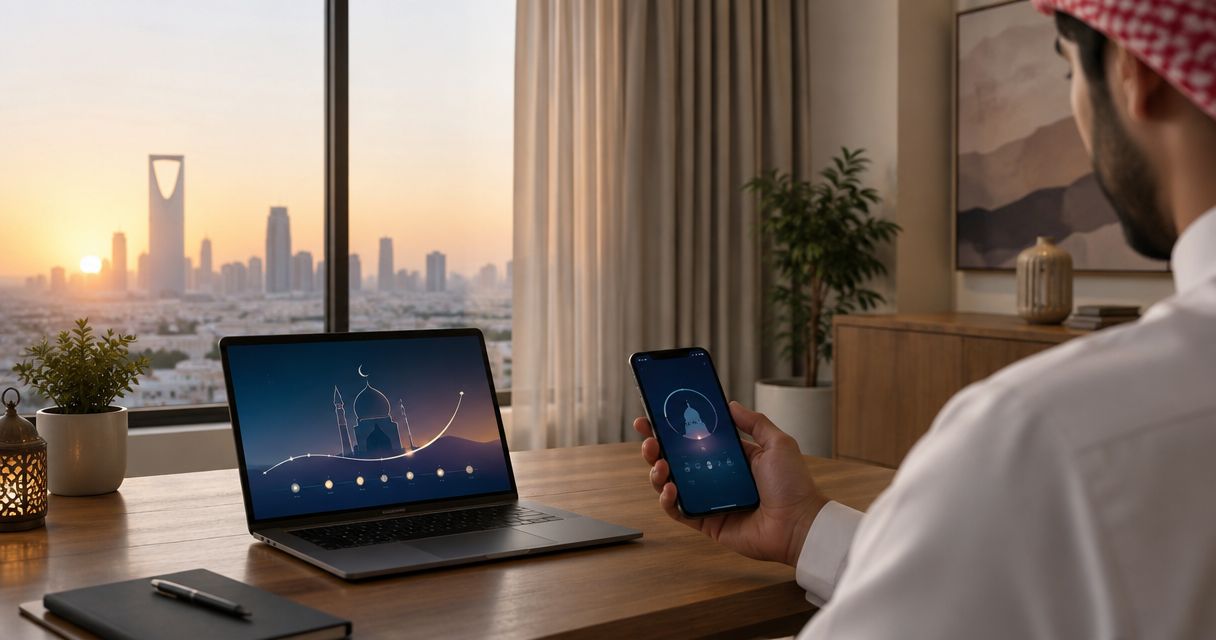
Instead of adjusting a curtain timer whenever prayer times change, connect a current Riyadh prayer-time feed to a compatible curtain controller so the selected curtain closes at the prayer you choose. This 2026 guide uses Home Assistant for the scheduling workflow; Curtain-store provides curtains and installation services, not the prayer-time integration.
- For curtain schedule prayer times riyadh, use daily prayer timestamps rather than a repeating clock alarm.
- Home Assistant connects prayer-time sensors to compatible motorized curtain controls; confirm compatibility before setup.
- Curtain-store suits Riyadh homeowners seeking custom curtains and installation support.
- Match Riyadh location, calculation settings, and Asia/Riyadh time zone before enabling automatic movement.
Why this matters
A repeating evening timer follows the clock, not the changing prayer timetable. Prayer times depend on the date and location, and calculation settings affect the times supplied by an integration. A curtain schedule needs those current timestamps, not a copied list that stays unchanged.
Use a prayer timestamp as the trigger and curtain closure as the action. Keep the two separate: the prayer integration supplies the time, while the curtain integration supplies the movement command. This makes it easier to identify whether a problem belongs to the timetable or the motor.
The workflow below closes one selected curtain at Maghrib. It does not play an adhan, control lighting, or reopen the curtain automatically. Those are separate decisions, and keeping them separate protects the room from unwanted movement.
If your only goal is evening privacy rather than a prayer-linked routine, explore the automatic sunset curtain workflow. Sunset and a selected prayer event are different scheduling inputs; choose the one that matches your household routine.
Before you start
- Working curtain control: Have a motorized curtain that already opens and closes through Home Assistant, plus administrator access to that installation. A manually operated curtain cannot move through a software schedule alone.
- Prayer-time setup: Have access to Home Assistant’s Islamic Prayer Times integration, your Riyadh location settings, and the local timetable you intend to follow. Saudi Arabia uses UTC+3; use the named time zone Asia/Riyadh for this setup.
- The non-obvious gotcha: A valid prayer timestamp is not proof that it matches your mosque’s timetable or congregation time. Compare the selected prayer against your intended local reference before enabling movement, and confirm that your controller supports the curtain action you choose.
You do not need to automate all 5 daily prayers. Start with the event that solves a real privacy or comfort need. For a bedroom, an automatic opening at Fajr deserves particular care because it changes light and privacy while someone is sleeping.
Before buying a motor or replacing a track, ask the installer about the proposed controller and mounting arrangement. Curtain installation support does not, by itself, confirm Home Assistant compatibility or include software configuration.
Prayer-time source configuration
This configuration establishes the schedule for your 2026 workflow. Complete it before creating any curtain automation: an incorrect location can produce a working automation at the wrong time.
- Open Settings in Home Assistant and confirm that the installation’s location represents the property in Riyadh. Set the time zone to Asia/Riyadh, rather than relying on the location of a remote server.
- Open Devices & services, select Add integration, and search for Islamic Prayer Times. Follow the integration’s configuration flow.
- Choose the calculation settings that match the timetable you intend to follow. Do not treat a country-related method name as confirmation; compare the actual results with your local reference.
- Open Developer tools, then States. Locate the sensor for the prayer you want to use, and copy its entity ID exactly.
- Check that the chosen sensor contains a usable timestamp, rather than an unavailable state or a text-only display. Read the date as well as the time.
Expected result: Home Assistant exposes the selected prayer as a timestamp sensor, and its local displayed time agrees with your intended Riyadh timetable.
Home Assistant can display a timestamp stored with a UTC offset in your local time zone. Do not manually add another 3 hours simply because you see a UTC-formatted value. Compare the converted local time first; adding an offset twice creates an incorrect schedule.
Use 24-hour notation when comparing times so morning and evening cannot be confused. Record the selected calculation method alongside your automation notes. If a household member later changes it, the resulting curtain movement should not become a mystery.
If the prayer sensor does not provide a timestamp suitable for a time trigger, stop here. Do not substitute a guessed entity or paste a display string into the automation. Resolve the sensor configuration before connecting it to physical movement.
Curtain control configuration
The curtain controller must work independently before it follows a prayer schedule. A prayer trigger cannot repair a disconnected motor, reversed travel direction, or an unsuitable track.
- Open Settings, then Devices & services, and confirm that the curtain controller’s integration is connected.
- In Developer tools, open States and find the curtain’s
coverentity. Copy its entity ID. Use the actual curtain entity, not a room group that also includes unrelated devices. - Open Actions, select cover.close_cover, and choose that curtain as the target. Keep the window area clear while testing movement.
- Run the action and watch the curtain. Confirm that it closes in the intended direction and stops correctly.
- Test the household’s usual control method afterward. Confirm how you will stop movement or take control when someone wants the curtain left open.
Expected result: The selected curtain closes through Home Assistant, and you know which physical curtain the entity controls.
Do not use percentage positions until you have checked the controller’s position reporting and calibration. An open/close command is a simpler starting point than a partly closed position whose meaning has not been confirmed.
For a shared room, agree on the behavior before enabling it. A living-room curtain that closes at Maghrib affects everyone using the room, while an office curtain can affect staff, visitors, and access to daylight.

Prayer-trigger automation
Create the automation only after the prayer sensor and curtain control both pass their independent checks. The example below performs one action: closing the living-room curtain when the Maghrib timestamp arrives.
- Open Settings, then Automations & scenes, and create a new automation.
- Open the automation editor’s menu and select Edit in YAML.
- Paste the example below. Replace
sensor.maghrib_prayerwith the timestamp sensor you copied, and replacecover.living_room_curtainwith your verified curtain entity. These are example identifiers, not guaranteed names in your installation. - Select Save. Leave the automation disabled until you have checked the target and tested the action.
alias: Riyadh curtains - close at Maghrib
triggers:
  - trigger: time
    at: sensor.maghrib_prayer
conditions: []
actions:
  - action: cover.close_cover
    target:
      entity_id: cover.living_room_curtain
mode: single
- Use Run actions to test the closing command from the automation. This checks the action sequence, not whether the prayer-time trigger fires correctly.
- Enable the automation and observe the next selected prayer event. Open the automation’s trace afterward to confirm that the time trigger started the action.
- Keep a short setup note with the date, selected prayer, calculation settings, and curtain entity. For your 2026 setup, record the expected local event time alongside the observed result.
Expected result: The selected curtain closes when the prayer timestamp is reached, and the automation trace shows the trigger and action path.
A successful manual test does not prove the schedule works. It proves that the automation can send the closing command. Watching the first scheduled event completes the test.
A time trigger is not a missed-event recovery system. If Home Assistant is offline when the timestamp passes, do not assume the curtain will close later. Decide whether you need a separate recovery routine before relying on this automation while away from home.
A second variant: close before the selected prayer
If you want the room ready before prayer, use a configurable lead time rather than editing the prayer timetable. For example, a 10-minute lead time is a household choice, not a required prayer setting.
In the automation’s YAML editor, replace the trigger’s at value with a timestamp entity and offset:
triggers:
  - trigger: time
    at:
      entity_id: sensor.maghrib_prayer
      offset: "-00:10:00"
Keep the verified curtain action unchanged. Replace the example sensor with your actual timestamp entity, save the automation, and check the resulting local trigger time before enabling it.
This variant still follows the prayer sensor’s updated timestamp. Do not add a second, fixed-time automation for the same closure unless you deliberately want both triggers.
| Workflow | Best for | Benefit | Limitation |
|---|---|---|---|
| Prayer-time closure | Households wanting movement at the selected prayer | Follows the supplied daily timestamp | Depends on a working, correctly configured prayer sensor |
| Advance closure | Households preparing the room before prayer | Adds a deliberate lead time without changing the timetable | Needs a checked offset and can close during another activity |
| Fixed-clock closure | Households following a clock-based routine | Does not need a prayer-time source | Does not stay aligned with changing prayer times |
For your 2026 routine, choose one closure workflow first. Add other events only after the household has confirmed that the original movement is useful rather than disruptive.
Troubleshooting
The curtain closes at the wrong local time
Check the property location, Asia/Riyadh time zone, calculation settings, and any configured offset. Compare the sensor’s local time with the timetable you intend to follow. Do not change the motor configuration to compensate for an incorrect prayer timestamp.
The manual test works, but scheduled closure does not
Confirm that the automation is enabled and that its trigger references the correct timestamp sensor. Check whether Home Assistant was running at the scheduled moment, then inspect the automation trace. Run actions alone does not test the trigger.
The prayer sensor is unavailable
Check the Islamic Prayer Times integration and its connection to the prayer-time source. Do not replace an unavailable timestamp with yesterday’s value. Restore a valid current schedule before depending on automatic closure.
The curtain opens when it should close
Stop the automation and test the curtain independently. Check the controller’s direction configuration and calibration according to its manufacturer’s instructions. Do not reverse the automation’s action as a shortcut around incorrect motor setup.
The curtain moves twice or reverses afterward
Look for overlapping automations, controller schedules, and routines in other connected systems. Keep one active scheduling owner for this closure. If someone changes the curtain position manually, make sure another routine is not immediately undoing that choice.
Customize your workflow
Curtain-store suits Riyadh homeowners seeking custom curtains and installation support. For this project, treat the physical curtain choice and the scheduling software as separate parts of the plan. Discuss the intended track, fabric, window arrangement, and control method before committing to installation.
Call Curtain-store to discuss your curtain and installation needs, with WhatsApp as a secondary contact option. Explain that you want prayer-linked control and ask who will configure and support the controller; do not assume that software integration is included in the curtain installation.
For a bedroom, decide whether closure alone is enough. For a majlis, consider how daytime light and evening privacy should work together. For business premises, agree on who can override movement and whether the routine should operate when the space is unoccupied.
Keep automatic reopening separate. A prayer event does not tell the system whether someone is sleeping, changing clothes, or using the room. An intentional manual opening can be more suitable than another timer.
Recheck the setup when you change a controller, calculation method, property location, or household routine. A working 2026 configuration should remain understandable to the next person who manages it.
FAQ
How do I set a curtain schedule around prayer times in Riyadh?
Use a current Riyadh prayer timestamp as the trigger for a compatible curtain controller. In Home Assistant, configure the Islamic Prayer Times integration, verify the selected sensor, and connect it to a tested curtain-closing action.
Can ordinary curtains close automatically at prayer time?
Manually operated curtains need suitable motorized hardware before a software schedule can move them. Confirm the track, motor, and controller arrangement before planning the automation.
Do prayer-time curtain schedules change every day?
A timestamp-based schedule follows the prayer times supplied by its configured source. A repeating fixed-clock timer does not automatically follow those changes.
Should I use Riyadh prayer time or my mosque’s congregation time?
Use the time that matches your intended routine, and distinguish prayer start time from congregation time. The integration’s prayer timestamp does not automatically represent your mosque’s congregation schedule.
Can I close the curtains before Maghrib?
Yes, a timestamp trigger can use a negative offset to close before the selected prayer. Check the resulting local time and test the action before enabling the advance schedule.
Does Curtain-store provide the prayer-time software integration?
Curtain-store offers curtains, blinds, fabrics, and installation services. Confirm controller compatibility, software configuration, and support responsibilities separately when discussing your project.
Will the curtain still close if Home Assistant is offline?
Do not rely on this Home Assistant time-trigger workflow while Home Assistant is offline. A controller’s independent schedule is a separate capability that must be checked for your actual device.
One last thing
The most useful automation is often the one that does less. Start by closing one curtain at one selected prayer, without automatic reopening or extra room actions. Once that movement feels right in daily use, expand the routine deliberately.